Today we will watch the BrainPop Jr.
Showing posts with label blogging. Show all posts
Wednesday, May 31, 2017
Grade 2- Blogs, BrainPop Jr.
We are learning to understand the purpose of blogs and how to navigate their special features.
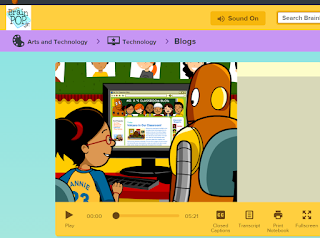
Today we will watch the BrainPop Jr.video , Blogs.
After the video, we will identify parts of the LP Computer Lab Blog as a class.
Today we will watch the BrainPop Jr.
Monday, March 24, 2014
Grade 5- Kid Blog
We are learning to create blog comments with text formatting.
Log in to the LP Blog.
Find your user name
Use your Google password
Log in to the LP Blog.
Find your user name
Use your Google password
Grade 5- Blog Comment- Digital Footprint
Today you may post your comment to the LP Blog.
- Log in to LP Blog (use Google user name= ID@nbtschools.org)
- Click comment under the Blog Post you want to comment on
- Type your comment
- Submit Comment
- "Your comment is awaiting moderation"
- I have to approve the comment before it's live
- Type to Learn 4
Blog comment starters:
This made me think about...
I wonder why...
Your writing made me form an opinion about...
This post is relevant because...
Your writing made me think that we should...
I wish I understood why...
This is important because...
Another thing to consider is...
I can relate to this...
This makes me think of...
I discovered...
I don't understand...
I was reminded that...
I found myself wondering...
Blog Comment Starters for Students
by Anne Davis, http://adavis.pbwiki.com
Monday, February 17, 2014
Grade 5- Post to KidBlog
We are learning to create blog posts with hyperlinks, images, and text formatting.
Log in to the LP Blog.
5-4, 5-5, and 5-1
Today you will post your Digital Footprint blog entry.
Use Copy and Paste from your Google Drive
Log in to the LP Blog.
5-4, 5-5, and 5-1
Today you will post your Digital Footprint blog entry.
Use Copy and Paste from your Google Drive
You may add links and images to your blog post. Images must be saved to your Z: drive or Google Drive then uploaded to KidBlog..
Monday, February 10, 2014
Grade 5- Digital Footprint, Draft Google Drive
We will be able to draft a blog entry, including an opening sentence, details, and a closing sentence about digital footprints.
You may share your opinions about digital footprints.
You may imagine what you would like your digital footprint to look like in about 10 years.
You may cite evidence from videos or websites.
You may make connections to self, text, or world.
You may imagine what you would like your digital footprint to look like in about 10 years.
Remember your audience; write your blog post for a potentially world-wide audience on the Internet.
YOUR DRAFT MUST BE SHARED TO KGEORGE...thanks
Your must PRINT today!
Good luck! :-)
*****************************************************************************
Log in to your NBTSchools Google Drive.
My Drive
File Name= Digital Footprint
- Click DOCUMENT
Monday, January 27, 2014
Grade 5- Finish Digital Footprint Draft
We will be able to draft a blog entry, including an opening sentence, details, and a closing sentence about digital footprints.
You may share your opinions about digital footprints.
You may imagine what you would like your digital footprint to look like in about 10 years.
You may cite evidence from videos or websites.
You may make connections to self, text, or world.
You may imagine what you would like your digital footprint to look like in about 10 years.
Remember your audience; write your blog post for a potentially world-wide audience on the Internet.
YOUR DRAFT MUST BE SHARED TO KGEORGE...thanks
Good luck! :-)
*****************************************************************************
Log in to your NBTSchools Google Drive.
My Drive
File Name= Digital Footprint
- Click DOCUMENT
Monday, January 13, 2014
Grade 5- Digital Footprint, Blog Entry
We will be able to draft a blog entry, including an opening sentence, details, and a closing sentence about digital footprints.
You may share your opinions about digital footprints.
You may imagine what you would like your digital footprint to look like in about 10 years.
You may cite evidence from videos or websites.
You may make connections to self, text, or world.
You may imagine what you would like your digital footprint to look like in about 10 years.
Remember your audience; write your blog post for a potentially world-wide audience on the Internet.
Good luck! :-)
*****************************************************************************
*****************************************************************************
Log in to your NBTSchools Google Drive.
- Click CREATE button
- Click DOCUMENT
Monday, December 23, 2013
Grade 5- Edublog Winners 2013
How do you become a better blogger? Read more blogs.
Explore the Edublog 2013 winners.
Which blog(s) did you enjoy?
Did you pick up a tip or strategy?
Explore the Edublog 2013 winners.
Which blog(s) did you enjoy?
Did you pick up a tip or strategy?
Monday, December 16, 2013
Grade 5- Posting a Blog Comment
Today you may post your comment to the LP Blog.
- Open your comment rough draft in Google Drive.
- Check the comments
- Select ALL
- Copy
- Log in to LP Blog (use Google user name= ID@nbtschools.org)
- Click comment under the Blog Post you want to comment on
- Paste
- Submit Comment
- "Your comment is awaiting moderation"
- I have to approve the comment before it's live
- Type to Learn 4
Blog comment starters:
This made me think about...
I wonder why...
Your writing made me form an opinion about...
This post is relevant because...
Your writing made me think that we should...
I wish I understood why...
This is important because...
Another thing to consider is...
I can relate to this...
This makes me think of...
I discovered...
I don't understand...
I was reminded that...
I found myself wondering...
Blog Comment Starters for Students
by Anne Davis, http://adavis.pbwiki.com
Monday, December 9, 2013
Grade 5- Google Document
Log in to your NBTSchools Google Drive.
- Click CREATE button
- Click DOCUMENT
If you like your comment and you want to post to the LP Blog, SHARE your comment to kgeorge@nbtschools.
I'll read and review your comment.
Grade 5- Blog Comment, Growing Up Mobile
Today you will compose a comment for the LP Blog.
- Read the 3 blog posts
- Decide which blog entry you want to comment on
- Compose your comment rough draft in Google Drive- remember, keep it academic.
If you like your comment and you want to post to the LP Blog, SHARE your comment to kgeorge@nbtschools.
I'll read and review your comment.
Blog comment starters:
This made me think about...
I wonder why...
Your writing made me form an opinion about...
This post is relevant because...
Your writing made me think that we should...
I wish I understood why...
This is important because...
Another thing to consider is...
I can relate to this...
This makes me think of...
I discovered...
I don't understand...
I was reminded that...
I found myself wondering...
Blog Comment Starters for Students
by Anne Davis, http://adavis.pbwiki.com
Monday, December 2, 2013
Grade 5- Join Kidblog
Today you will begin your Kidblog account.
Follow these directions:
You will use your NBTSchools Login.
Our new blog LP Blog
Follow these directions:
You will use your NBTSchools Login.
Our new blog LP Blog
Grade 5- Academic Blog Comments
Today you'll explore blog commenting.
We will use academic comments.
Academic comments should:
- be related to the content of the post
- continue a conversation started in the post or in other comments
- be connected to content learned or discussed in the classroom
- challenge someone's point of view
- add something to the author's post in form of a:
- link
- connection
- idea
- reminder
- new perspective
Let's look at Mrs. Yollis' Classroom Blog Comments.
Commenting lesson from Silvia Rosenthal Tolisano www.langwitches.org/
Monday, November 25, 2013
Monday, November 18, 2013
Grade 5- Growing Up Mobile Blog Entry
Log in to your NBTSchools Google Drive.
I've shared a document with you. Click Shared with Me link.
Click on Growing Up Mobile document.
Finish typing your blog entry on your Google Document today.
I've shared a document with you. Click Shared with Me link.
Click on Growing Up Mobile document.
Finish typing your blog entry on your Google Document today.
Grade 5- Growing Up Mobile Infographic
Begin by reading the Growing Up Mobile infographic. Today you’ll finish a blog entry about Growing Up Mobile.
You may cite evidence from the infographic in your blog post. Also you may make connections to self, text, or world. What do you have to share about Growing Up Mobile?
Remember your audience; write your blog post for a potentially world-wide audience on the Internet.
Good luck! :-)
1. Add labels
2. Format (font, font size, font color, bold, italic)
3. Multimedia (image, video)
4. Print to ColorLaser (Change button > \\LP-DC\LAB_COLORLASER)
Subscribe to:
Posts (Atom)


