Showing posts with label print. Show all posts

Monday, February 4, 2019

Grade 3- Poem In Your Pocket, Research

We are learning to use a search engine to find what we are looking for. Today you will find and print a poem. Poem in Your Pocket Day happens next month.

Today you will find a poem by using a search engine called KidRex.


After reading and finding the best poem, you will print.
Avoid results marked AD

Avoid Amazon, we are not shopping

There will be more than one page of results. Look for the list of page numbers at the bottom.

Choose the correct printer.

Print only the pages you need.


Put up your block to ask permission to print.

Monday, January 28, 2019

Grade 3 - Poem In Your Pocket, KidRex Search

We are learning to use a search engine to find what we are looking for. Today you will find and print a poem. Poem in Your Pocket Day happens next month.

Today you will find a poem by using a search engine called KidRex.


After reading and finding the best poem, you will print.
Avoid results marked AD

Avoid Amazon, we are not shopping

There will be more than one page of results. Look for the list of page numbers at the bottom.

Choose the correct printer.

Print only the pages you need.


Put up your block to ask permission to print.

Wednesday, February 14, 2018

Grade 1- Type Your Name, KidPix

We are learning to use our left and right hand when typing and to hold shift for capital letter.


We are learning to keyboard with shift using two hands.


Group B (Table 4, 5, 6) You are in Mrs. George's small group.

Today you will type your name five times in KidPix 4.1

  • School Programs
  • Lab Programs
  • KidPix 4.1
Today is our printing day.


You MUST change font, font size, and font color.


Put your wooden block up, and Mrs. George will help you print in color.

Thursday, February 8, 2018

Grade 1- Type Your Name, KidPix 4.1

We are learning to use our left and right hand when typing and to hold shift for capital letter.


We are learning to keyboard with shift using two hands.


Group A (Table 1, 2, 3) You are in Mrs. George's small group.

Today you will type your name five times in KidPix 4.1

  • School Programs
  • Lab Programs
  • KidPix 4.1
Today is our printing day.


You MUST change font, font size, and font color.


Put your wooden block up, and Mrs. George will help you print in color.

Thursday, May 11, 2017

Grade 1- Pre-Keys Lesson 3

Table 4, 5, and 6

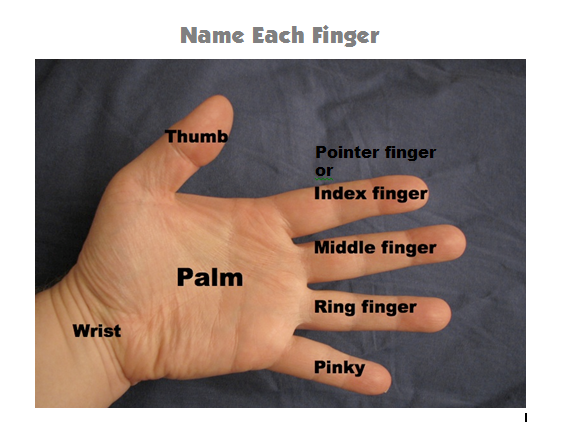
We are learning to keyboard using different fingers.

Let's warm up with "Where Is Pinky?"

Can you name each finger?


Now we are ready to type with our keyboard. This can also be called keyboarding.

Carefully follow the paper and use the correct finger.

Today you will print. Put up your wooden block for help.


Open KidPix


  • School Programs
  • Lab Programs
  • KidPix 4.1
Insert a text box


Monday, November 7, 2016

Grade 3- Turkey Glyph

We are learning to open programs from the Start Menu.
We are learning to use our mouse and program menus to create art.
We are learning to print to a networked printer.

Create your own personalized turkey. Follow these directions to color your turkey using Paint.

The turkey file is located in:
1. Class Files
2. Grade 3
3. Thanksgiving


Lesson idea from: http://ww2.kcd.org/LS/websites/3/3rd_Grade_Projects/Entries/2010/11/15_12_-_Turkey_Glyph.html